If you want your kid to know more about finances, there are a few approaches to take. Besides talking about how finances work and how to manage money, getting them a debit card could be a good idea. Still, how old do you have to be to get a debit card, and can your child have one?
The good news is that your kid can get a debit card, and there are a few options to consider. For example, your child could use a prepaid card to pay for the things they like without tying the card to your bank account. Here’s what you should know.
Debit Card Age Eligibility Most Common Questions
At what age can you get PayPal debit cards for kids?
At what age can you get a prepaid debit card?
Is it possible for an 11-year-old to have a debit card?
Is it possible for a 16-year-old to get a debit card?
Can a 16-year-old get a debit card without parents?
How can I get a debit card for my kid?
Is it possible to open a debit card for a minor?
At What Age Can You Get a Debit Card?
If you want to get a debit card for your child, know that different banks have different policies when it comes to debit cards and the kid’s age. Overall, you should be able to open an account and sign up your child for a debit card when they are 16.
Still, some banks may issue debit cards to younger children, sometimes even around the age of seven. What’s more, that debit card and the account will likely be linked to your account, or you’ll have to open a joint account to start.
(Sapling)
How Old Do You Have to Be to Get a Paypal Debit Card?
According to PayPal, no individual, regardless of their location, can open an account if they’re younger than 18. Additionally, PayPal Debit Cards, also called PayPal Cash Cards, aren’t available to customers outside the US.
The PayPal Debit card is actually a prepaid MasterCard linked to a PayPal Balance account. A PayPal Balance account is required to get the card; thus, a person must be at least 18 years old to get their Cash Card active.
(PayPal)
How Old Do You Have to Be to Get a Prepaid Debit Card?
The latest data shows that even kids as young as six can get a prepaid debit card, while some institutions have no age requirements. One example is the Chase First Bank, where kids aged six can get a debit card through the parent’s account.
Once a child gets a prepaid debit card, parents can load the money onto it and let their kid learn how to manage finances and expenses.
(MoneyPantry)
Can an 11 Year Old Have a Debit Card?
Depending on the state you live in and current regulations, some banks, credit unions, and financial agencies offer savings and checking accounts for children. These accounts could be jointly owned, owned only by a child, or require that a parent acts as a guardian.
Children under 12 are often limited to savings accounts and ATM cards. Moreover, teens aged 13 to 17 can use a card linked to their checking account. Finally, prepaid debit cards are available to kids and teens and can be given to kids at a very young age.
(TheBalance)
Can a 16 Year Old Get a Debit Card?
Typically, a child becomes eligible for a debit card at the age of 13. However, depending on the financial institution, the numbers could move up or down. Make sure to read the fine print and, if you still can’t find how old your child must be, directly contact the organization.
Keep in mind that your teen can easily obtain a debit card. However, you’ll have to open a joint teen checking account so that you have a legal account that passes compliance requirements.
(Young And The Invested)
How to Get a Debit Card at 16 Without Parents?
As soon as you reach 18, you can easily open a bank account. However, if you’re younger, you’ll likely need your parents to start. Still, sometimes it’s enough to bring an older sibling or another relative and get a debit card without your parents.
Keep in mind that if you already have a joint account with your parents, you won’t be able to get them off that account. Additionally, if you open a separate bank account with another relative, your parents might notice the financial activity in the joint account.
(Mybanktracker)
Can I Get a Debit Card for My Child?
According to some investment advisors, you should consider opening a bank account for your child as soon as they can start saving money. Kids are naturally curious, and getting them interested in banking is easy.
What’s more, getting a debit card for your child can teach them how to be responsible with their allowance. You can definitely get a debit card, sometimes at a very young age. You might also have the option of transferring allowance to your kid’s debit card.
(Forbes)
How to Open a Debit Card for a Minor?
Opening a bank account for a minor could be challenging. The main issue is with the regulations that make it complicated for a minor to sign a contract. This is why most financial organizations won’t open an account for people under 18 unless there’s an adult on the account as well.
Still, parents and legal guardians can help their children by opening an account for debit cards for teens, either as a joint account or a custodial one. Almost any bank will provide these services. Parents could also get a prepaid debit card for their children. Still, prepaid debit cards are expensive and don’t provide the benefits of a checking account.
(TheBalance)
Conclusion
Getting a debit card for your child is a smart choice. With it, they can learn more about how finances work and get into banking at a very young age.
What’s more, sometimes there’s no age limit to get a debit card, especially when it comes to prepaid debit cards.
However, a joint or a custodial account is often necessary to cover the legal side of things. Make sure to contact the bank and read the fine print to get to know all the details of getting a debit card for your child.
When you reach a certain age, you might want to think about your credit score. For example, you can try to answer the question “What credit score do you start with and how high do you think you can keep it in the future?”
Still, what happens if you have never applied for a credit card or taken a loan—do you even have a credit score?
If you’re new to credit and wonder how it all works, keep reading. We’ve covered the answers to the most common questions about credit scores.
Most Common Credit Score Questions Contents
How is the starting credit score defined?
Why do all credit scores start at 300?
How high is a credit score when you’re without credit?
Does every person have a credit score?
At what age does a credit score start getting calculated?
What is a credit score you start with when you’re 18?
How much time does it take to establish a credit score?
How high is an average credit score?
What Does Your Credit Score Start At?
The lowest possible FICO score is 300. This means that your credit score starts at about 300. However, there’s no such thing as a starting credit score. As soon as you start using credit cards, the numbers in your report will change.
On the other hand, if you haven’t started using credit, you won’t have any score tied to your name. If you wish to begin building your credit score, you should start by opening the first line of credit—a credit card or student loan. From there on, your credit activity will determine your credit score.
(Bankrate)
What’s a Starting Credit Score?
There is no such thing as a starting credit score. Everyone around you has been building their score for years, but they started as soon as they got their first credit card. This is because there’s no information about your credit activity until you actually get some sort of loan or credit.
Still, this doesn’t mean you have to start from zero. There are three credit score bureaus (Equifax, Experian, and TransUnion), and each of them has a scoring range that mostly starts at about 300.
(Creditsesame)
Why Do Credit Scores Start at 300?
Learning how to manage your credit score can bring great benefits. This is why you should understand how three credit score bureaus work. If you have just begun getting into credits and have poor payment history, you’ll start at 300.
For example, FICO assigns credit scores in the 300–850 range. The 300 score is considered poor, but since you just got your first credit card or a loan, chances are it will improve once you start building your payment history.
(OnJuno)
What Is Your Credit Score When You Have No Credit?
Many believe that your credit score is zero if you haven’t had any credit. However, that’s not true. There’s a difference between not having a credit score and having a poor credit score. When you don’t have a credit score, that simply means there’s no available information on your credit activity.
The analytics companies can’t access any information, so your credit score will probably automatically be around 300, or the score won’t be generated. Once you get your first line of credit, the numbers will change.
(USnews)
Does Everyone Have a Credit Score?
Based on the latest data, not everyone in the US has a credit score. Over 50 million people don’t have a score due to the lack of their credit history. In addition, about 25 million adults have no credit history at all, and 28 million have unscored records, likely due to a few credit accounts or new credit activity.
Credit history is crucial for companies that determine the credit score. Unfortunately, it’s also one of the main reasons those with an invisible credit don’t have a score. Moreover, 80% of 18- and 19-year-olds don’t have a score since they lack time to build it.
(NerdWallet)
What Age Does Your Credit Score Start?
In general, your credit score will start getting calculated once you turn 18. This is an ideal time to learn more about how credit scores work and get involved in managing your finances. However, in some rare cases, people under 18 can also have a credit score.
For example, if a child’s identity has been stolen and used to open a credit account, a child can have a credit score. Also, if an adult added a minor as an authorized user, the minor may get a score—at the same time, this is a great way of building a kid’s credit score before they turn 18.
(Chase)
What Credit Score Do You Start With at 18?
When it comes to credit scores, everyone starts differently once they turn 18. In most cases, there won’t be enough credit activity to generate a report, so the data may show the lack of your score. Note that your credit score is not tied to your age but your credit history.
Some agencies will set it to 300, but the best way to know your credit score is to open an account and hold it for at least six months. Then, you should update at least one account during that time and not get flagged as a deceased account owner.
(GrowingFamilyBenefits)
How Long Does it Take to Get a Credit Score?
Building a good credit score takes time and good financial habits. The biggest catch is that you must get credit to start getting a credit score. This means you’ll spend about six months working on your credit rating by opening accounts and building payment history.
Six months is a minimum period needed to obtain a FICO credit score. It might take less for a VantageScore, but the FICO score is generally more important. After the initial six months, it all depends on your credit activity. Sometimes it might take several years to get an excellent credit rating.
(Stilt)
What’s an Average Credit Score?
The latest data from 2021 shows that the average FICO credit score rose to 714. In fact, credit scores have been increasing in the last decade. However, the latest numbers show consumers have had significant challenges due to the Coronavirus pandemic.
FICO scores are calculated based on the information from consumer credit reports. This means that when the consumers’ credit profile improves, so do the scores, even though not all changes have a visible impact.
(Experian)
Conclusion
Having a great credit score doesn’t come that easily. If you want to build good financial habits, make sure to work on your starting credit score. As soon as you open an account, the numbers will start getting into analytics, and the credit agencies will calculate your initial score.
The good thing is that you can always improve your score by maintaining a regular payment history and keeping an account open and active.
Mobile banking security has always been a hot topic because of the number of apps on the market and their widespread use. These types of banking services allow consumers to access their financial accounts from almost anywhere, at any time of the day or night.
Mobile banking includes many different services, such as receiving account balance information, transferring funds between accounts, making payments on bills, paying for purchases using the phone’s near-field communication (NFC) capability or QR codes, and even using the device as an ATM card replacement.
Customers simply need to know their user ID, password/PIN, and banking credentials to get started.
Let’s take a look at the evolution of this vital asset in today’s modern world before continuing to talk more about mobile banking security.
The Evolution of Online Banking
When it comes to online banking, the internet has made things easy in more ways than one. The convenience of being able to transfer money to anyone in the world without having to be there in person is so much simpler.
Not only that, but you can also have your bank statement sent directly to your email. However, with the internet being so beneficial to society, there are also some downfalls.
People are also becoming more interested in online shopping, which involves transferring money from their savings accounts into their current accounts for purchases.
However, security is a growing concern as we transfer more and more of our personal information online, and criminals gain the ability to hack into huge databases and steal this information. Some people even suggest that banks don’t have strong enough mobile banking security to stop hackers.
The good news is that online banking has become more secure over the last decade. Banks have learned their lesson and know that they need to keep customers’ information safe to survive.
This means keeping up with new security standards like Chip/Pin authentication, two-factor authentication, data encryption, and the use of strong passwords.
Banks also understand that all online banking is done through computers or mobiles, so these devices can monitor activity and report any suspicious behavior such as login attempts from different locations.
The security methods of mobile banking are the same security methods used for other online services. Mobile devices can be protected with passwords, screen locks, encryption, and biometric scanners, but that is not enough to ensure your money stays safe.
Financial cyberthreats are constantly evolving. These days, scammers don’t just want your credit card number, they want your credit card number and identity.
You may even ask yourself the question, how can I protect my mobile banking? Well, mobile banking is expensive, and you don’t want to trust your hard-earned money with a company that doesn’t have your best interest in mind.
Therefore, keep reading to find out which steps you can take to make your daily mobile transactions secure.
Ways to Keep Your Data More Secure?
Before doing anything that requires you to share your financial information, it’s important to know what kind of security measures are in place. Mobile banking is relatively safe, but there are several things you can do to keep yourself protected while managing your money on the go.
Mobile Banking Security Tips
1. Verify Your Financial Institution’s Security Measures
Before using mobile banking, it’s good to know whether or not the financial institution you are working with has been implementing security measures.
For example, in order to help safeguard your account information from potential cyberattacks and identity theft, some financial institutions keep data on servers that aren’t connected to the internet. Some banks also offer their customers a free passcode to help prevent any unauthorized access.
Finally, you need to verify that the financial institution is FDIC insured. This means that if something were to happen to the bank, your money would be safe up to $250,000.
2) Help Protect Yourself Online by Avoiding Phishing Scams
Phishing scams can pose a serious threat to your financial information. Phishing occurs when someone pretends to be a reputable company in order to get you to share your personal data, such as login credentials and Social Security number.
How can you protect yourself? One way is to learn how phishers work so that you can spot their attempts before they trick you. The next thing you should do is enable two-factor authentication on your mobile app.
Two-factor authentication adds another layer of security by requiring your phone number as well as a passcode in order to log in, fixing any mobile banking app security issues that may occur.
3) Back Up Your Data from Time to Time
Having a record of all your transactions, investments and bank balances can be extremely helpful if there is a problem with your mobile device.
For example, you can use online banking to back up the data on your mobile device by exporting it as a PDF or CSV file. This way, if something happens to your phone, you still have access to all of the information that matters most to you.
4) Pay Attention to Apps You Receive from Your Financial Institution
Many people ask the question—can mobile banking be hacked? The short answer is yes and no.
If you only download apps that come directly from your bank, you’ll have no way to expose your phone to hacks. However, the opposite is true if you install unauthorized apps with no official background.
The official app will be an exact duplicate of the website, so if you get a suspicious-looking app, it may not work properly.
5) Check for Suspicious Activity by Implementing Two-Factor Authentication
Two-factor authentication is designed to help protect your accounts from being hacked. With this system, even if someone manages to get your login credentials, they won’t have access to your account because a second passcode will be required.
If you’ve forgotten your two-factor authentication method and need help retrieving it, contact the financial institution that manages your account.
Mobile Banking Security—What the Future Holds?
The future of mobile banking looks promising, but only if the security gets better. We’ve come a long way from having no encryption or advanced authentication, but we won’t be satisfied until our money is safe in our pockets, not just in our hands.
Keeping data safe is a tough task in this day and age, where cyber threats are getting more sophisticated every day. In order to keep your data safe, you need two things—awareness and common sense.
These two are the best mobile banking security best practices anyone can employ at no additional cost.
Awareness means knowing the cyber security threats people face every day, knowing how to spot a phishing email or a fake website, and being aware of how to use mobile devices securely.
Common sense is not clicking on strange links or downloading random attachments. You have to know what you are doing and when to do it.
Summary
Mobile banking offers many benefits, but it’s also important to know how to protect your financial information. If you follow these tips, you can use mobile banking with confidence and get the most out of your money management.
Just like anything else, mobile banking security is something no living soul should take for granted, especially those who carry out daily transactions.
Did you know that a cybercriminal attacks every 39 seconds? As most of our everyday activities are connected to the internet, it’s more crucial than ever to learn how to protect personal information online.
If you want to know how to keep your data safe online, you aren’t alone! 155 million Americans had their data breached in the year 2020 due to accidental data exposure. This means they inadvertently revealed their sensitive information online due to inadequate information on security. Knowledge is power! So take a moment to read our tips on how to protect yourself online, and what to look out for when surfing the web.
Online Privacy and Security – The Basics
While they seem to be interchangeable, there are important differences between privacy protection and online security.
Privacy refers to the proper management of your data for the purpose of preventing misuse, exposure, or uncertified access to your personal information. Privacy protection is your right to decide what personal information about you is accessible by third parties. It involves allowing or blocking browsers from tracking your activity, viewing browser history, and mining data about you in general.
Security refers to protecting personal information from unauthorized access or exploitation and misuse of your personal data by other people. This involves the detection of things like imposter scams, password and authentication breaches, and identity theft.
Essentially, security refers to the prevention of exploitation from other people, while privacy refers to your ability to grant access to your personal information. Both of these types of protection play equally important, but different roles in keeping you safe online.
How to Protect Your Privacy Online
Now that you are familiar with the basics, here are some actual ways to protect yourself online!
Use a private browser option
Regularly delete your history (including cookies!)
Change privacy settings on social media profiles
Think about what you share and post online
Use a Private Browser
Online privacy protection has to do with the information that we willingly (or not) give out to third parties when we use the internet. This can include our name, address, location, family status, place of employment, etc. But there is more to how to protect personal information online than just what we actively share.
Information can be gathered about us based on the kinds of websites that we frequent and what we do there. This type of information is tracked using cookies. Knowing how to track and manage the cookies that are dropped on your computer is an integral part of privacy protection online. Cookies can make your online experience much easier by filling out forms and personal info quicker (you know, that convenient auto-fill option).
Consider that if you want to know how to protect your privacy online, that a webpage which knows your full name, phone number and email address to fill out a form for you, it also can sell that information to third parties (ever wonder where all those spammers got your info?). It seems like it has been done without your permission, but actually, you allowed the cookie.
A few ways to protect yourself from cookies are to use a private browser window, regularly delete your browsing history, and say no to unnecessary cookie requests!
Change Privacy Settings on All Social Media Profiles
An important aspect of protecting privacy online is how to protect your personal information on social media. For many people, social media has become a daily experience with most users spending more than two hours every day using these websites.
Every social media platform allows you to personally configure your privacy options, giving you control to opt in and out of what you share with others. By changing your privacy options to limit who can access your personal information, you take an active role in how to protect your online privacy.
Think Before You Share
The online culture of social media has grown exponentially over just a few years. Now over 3.6 billion users globally have access to social media websites, and share everything from significant life events, to vacation photos, to what they ate for breakfast this morning.
For you, the user, these shares are in the interest of connecting with your network, but many don’t consider the amount of data they are freely releasing every time they post on social media or even how can you protect your online friends from unwanted disclosure of their private information.
Think about what is in your post before you share, and whether this is information that you would be okay with anyone (including companies and criminals) knowing. Consider removing location pins, pictures that clearly show where you or others are, valuables you have in your house, license plates, phone numbers, or where you work.
Asking permission before you post and tag photos with other people is a considerate practice, and sharing information about how to change privacy settings can help others take control of their online privacy as well.
How do I Check to See if Someone is Using my Social Security Number?
To check the activity of your Social Security Number (SSN), first check your social security statement. This statement allows you to see your recorded earnings based off of your SSN. If someone is using your number for employment fraud, to evade taxes or apply for a loan, it will be evident here. If you do suspect that someone is using your social security number, file a report with the Federal Trade Commission and contact the International Revenue Service to clarify any issues regarding taxes.
How to Protect Your Identity and Data Online
Protecting your data and identity online can seem daunting, but there are a few simple steps that can go a long way when it comes to online security.
Create complex passwords and change passwords often
Only use secured and verified websites
Know the warning signs of identity theft and other scams
Protect yourself from malware
Create Complex Passwords and Change Them Often
Password protection is one of the first lines of defense when it comes to how to keep personal information safe. Using passwords that may be easy to guess, such as birthdays, names or even favorite things can be simple for hacking programs and people to figure out.
Use different passwords for different sites, utilizing different characters, capitals and numbers, and change your passwords every couple of months in order to keep them secured.
Only Visit Secured and Verified Websites
Knowing strategies of how to protect your data online is usually easier than it seems. By only using secured and verified websites you decrease your chance of contracting a computer virus, or having your identity and personal information stolen. In order to check if a website is secured, inspect the web address at the top of the screen.
Secured websites begin with “https”, while unsecured websites simply have “http” without the ‘s.’ To take out the extra step of checking every single URL that you visit, use the blacklist feature in your browser to block all websites that are only “http”.
A second indicator of a secure website that will add to your personal information safety is the lock symbol right before the URL. This symbol indicates that the webpage is encrypted, an added layer of security performed by the owner to prevent third parties from mining data from the page.
Know the Warning Signs
As fraudulent activities online are constantly evolving, it’s increasingly important to know how to protect personal information online by being able to spot common signs of internet scams and intrusions such as:
Being contacted randomly by someone whom you don’t know asking you to do something (usually send money)
Messages that appear to look like verified sources, but upon closer look URL names are strange, and have unusual characters or are very long
Messages that have a sense of urgency and request money or personal information
Protect Yourself From Malware
Since new malware is released every 7 seconds, one of the easiest ways to protect your information and digital life is by installing antivirus software on your computer.
Malicious software, aka malware are computer viruses or other programs designed to hack into your computer, causing disruption of basic functioning, and often intended to seek out personal and financial information.
This software will detect and protect your information if malware does happen to make it onto your computer. Other ways you can help protect against malware are:
Being cautious downloading free software from the internet
Avoid clicking on pop ups asking you to download files
Keep your computer software up to date
Inspect links for strange names or characters before clicking on them
Where Could an Identity Theft Access Your Personal Information?
Identity theft is any kind of unauthorized use of your personal information to commit identity fraud, such as applying for credit cards, loans or evading taxes. As more and more of our lives occur online, identity theft is a major concern.
Identity thieves can access your personal information through hacking your email or by using malware to mine your personal computer.
The most common place that personal information is retrieved is through social media accounts, making it even more important to care about what you share and be careful about using unsecured WiFi connections.
What Steps Can You Take to Secure Your Private Information?
Here are some simple steps you can take if you want to keep your information secure:
Don’t click on any suspicious links or attachments you receive on social media or via email
Never fill out unofficial forms that request your personal information
Always use complex passwords that contain the combination of numbers, symbols, upper and lower-case letters
Don’t use the same password for different accounts
Change your passwords often
Be careful of what you share on social media
How to Keep Your Personal Information Safe Online – Recap
Protecting your personal information online is an ongoing process of remaining informed about why is cybersecurity important and aware of your own activity on the internet.
By staying vigilant about your privacy restrictions on regular web pages like banking sites, social media accounts, and the settings in your browser history, you take an active role in keeping your personal information safe online.
Creating your own secure passwords and regularly updating them, installing anti-virus software, and staying alert to potential scammers or suspicious links and sites are crucial tasks that help keep your data and identity private.
It can be hard not to worry about how to protect personal information online as our lives continue to integrate more and more into this digital world. Using the right tools, being conscious of what you share on social media, and being cautious about what you do on an unsecured WiFi connection, are ways that you can protect your information and safely use the internet.
Have you ever gone shopping for groceries, and you couldn’t remember whether you were supposed to get more milk? Wouldn’t it be great to just ask your refrigerator, right via your phone? Building a smart home doesn’t necessarily need to be expensive — you don’t have to be Bill or Melinda Gates to afford it.
In fact, you don’t even have to pay a contractor to install an expensive, complicated system that’s controlled via a mobile device or smart speaker.
If you don’t know much about this technology, then you probably have a thousand questions. What do smart homes have? How much does smart technology cost? What pieces of equipment do I need to create a smart home?
Let’s start with the most basic question.
What Is a Smart Home?
A smart home is a house with automated lighting, heating, or appliances controlled remotely by a computer or a smartphone.
It doesn’t have to include fancy gadgets or crazy robots, though it could if you want. More often than not, it only involves replacing certain appliances, gadgets, and accessories with their automated counterparts.
Keep reading the guide below to learn more about how to make your home a smart home.
Getting Started
Creating your perfect smart home depends on three things — budget, time, and enthusiasm.
You can buy one home gadget from a certain brand and then figure out any additions later — at least that’s how people have been doing it for the last couple of years.
On the other hand, you can always start building a smart home by buying all kinds of components — sensors, security cameras, smart bulbs, or speakers. You can connect them to a central hub that allows these devices to communicate with each other and with you via your smartphone.
However, keep in mind that you’ll be spending a lot of money and dedicating a lot of time if you opt for this option.
If your needs are simpler, you can start with more affordable products and upgrade them later when you have more money. A basic package will do the trick and deliver most of the conveniences of a smart home while saving you a few bucks.
How Does a Smart Home Work?
It’s all about product compatibility. While you’re choosing features that will suit your needs, you have to make sure that products are compatible with each other. By doing so, you’ll create a solid foundation that you can upgrade over time.
It’s essential to know which home products don’t require a smart home hub to operate. Although the best smart home hub offers certain advantages, it isn’t always necessary.
However, the thing you need is a solid wireless router, preferably one that can spread the connection to all corners of your home.
Without further ado, here’s a simple review to help you start building a home that suits your automation needs.
Choose a Smart Home Assistant that Will Control Your Home
Smart home voice-controlled assistants are AI-based applications that understand voice commands and perform tasks for a user. Most smart home assistants are compatible with smartphones, tablets, desktop computers, and even standalone devices like Google Home or Amazon Echo.
These applications contain software that assists a user by understanding natural language in either a spoken or a written form.
Needless to say, each of these automated software platforms has its own set of pros and cons, so weigh each option carefully before purchasing.
The Basics of Smart Home Assistants
The first step in setting up a smart home is choosing a virtual assistant to control your devices.
There are three big names you can find on the market (others exist as well, but they aren’t as widespread):
Smart home assistants like these can do everything from telling jokes, answering questions, and playing music to controlling objects and appliances in your home, such as the thermostat, lights, door locks, and other smart home devices.
They can respond to various voice commands, make phone calls, or send text messages — your virtual assistant can perform any function available on your phone.
Virtual assistants are an essential component of your smart home because they learn your habits and preferences over time, and they’re always getting smarter.
These AI-based applications can recognize faces, understand natural language, and communicate with other smart devices and software.
How to Use a Virtual Assistant in Your Smart Home Designs
In most cases, you’ll need to “summon” your virtual assistants by speaking simple commands like, “Hey Google,” “OK Siri,” or “Hello Alexa.” Most virtual assistants are capable of understanding natural language.
For instance, you can connect some of your devices, like Amazon Echo, with the Uber app and tell Alexa to request a ride, but you have to phrase the command correctly. You would have to say, “Alexa, ask Uber to call for a ride.”
Generally, your virtual assistants are programmed to control other smart home products through voice commands, so you’ll need to speak to them. Some assistants, however, can reply to commands given in a written form.
For example, you can send commands and questions to Siri (rather than speaking) via iPhone devices powered by iOS 11. Furthermore, Siri can answer by text rather than speech if you prefer.
Correspondingly, Google Assistant can respond to commands by either voice or text.
The Best Smart Home Devices
Now that we’ve established what role virtual assistants have and how they work, let’s see what devices you can get for your smart home.
1. Smart Speakers
One of the biggest challenges in smart homes is finding an easy way to control the system. Until recently, this was achieved via numerous apps, by constantly switching between them to get the job done.
Thanks to the development of smart speakers like Amazon Echo, this is no longer an issue. You can now say, “Dim the lights,” and the smart speaker connected to your smart lighting will do that for you, serving as a makeshift smart home control panel.
Smart speakers play an integral role in a smart home system, and they are worth every penny. The market leaders in this area are undoubtedly Google Home, Amazon Echo, and Apple HomePod.
Apple HomePod is a good solution for homes that have the app kit installed because you’ll be able to control a wide array of (compatible) devices via the iOS Home App.
On the other hand, the other two speakers don’t support as many devices. Out of all smart home accessories on the market, Amazon Echo offers the broadest level of smart home support and some handy features.
For example, through Amazon Alexa’s Routines, you can control multiple devices with one voice command, such as locking the front door and turning down the lights when you go out.
Investing in smart lighting can make your life much more comfortable, as this smart home technology brings a lot of benefits. For example, with the appropriate equipment installed, you can have your lights turn on every time your security camera detects motion.
In addition, you can customize your smart lighting so that the lights turn on and off periodically while you’re away, fooling potential burglars into thinking you’re at home.
If you want to make your home a smart home, installing smart lighting is a no-brainer. Not only can it add a layer to your home security, but it also provides a great number of options for how your home looks and feels.
You can even buy a system with temperature – or color-changing bulbs to help set the mood in your house.
Smart light switches can control smart home lighting that lets you operate the existing light bulbs but don’t provide fancy color-changing options. For those purposes, you’ll need dimmable bulbs because these switches are dimmers.
When you connect your home via smart lighting technology, you can save time and energy far beyond what any typical lighting accomplishes. Installing the right type and number of smart bulbs is crucial to maximizing your energy efficiency, which is an important factor in creating smart home systems.
If you already use your smartphone to control everything else, why not use it to control the lights as well? A set of smart speakers alongside a smart lighting system is a match made in heaven.
Being able to say “OK, Alexa, turn the lights off” as you head to bed or “Google, turn on movie mode” before you start watching your favorite HBO series are only a few great examples of the little things you come to appreciate.
Creating a smart home doesn’t have to cost a fortune, and smart plugs prove that. They’re super easy to adjust, and they represent an affordable way to upgrade commonly used devices — lighting, heating, you name it.
Essentially, they turn any electronic device into a smart home device that you can control via your smartphone. Installing and adjusting these plugs is relatively straightforward, which is great for DIY smart home projects.
Amazon Smart Plug, works with Alexa – A Certified for Humans Device
However, choosing the appropriate smart plug is not easy, so read on for more tips.
What Is a Smart Plug?
Whether it’s label says it is a smart outlet, smart switch, or any variation thereof, a smart plug is ultimately a simple-to-use device that plugs directly into a wall outlet (or traditional power strip), transforming it into a smart one.
It usually comes with a corresponding app, allowing you to control any device plugged into the smart plug. For example, you’ll be able to make coffee without leaving the comfort of your bed or check whether the slow-cooker is on while you’re at work.
If you’re building a smart home from the ground up, you should definitely consider installing smart plugs. Not only will you be able to control smart devices plugged into them, but they will also lower your electricity bill.
Note that you’re not losing or gaining any outlets by setting up the smart plug; you’re simply upgrading the existing outlet by making it smart and connecting it to your home Wi-Fi network.
While keeping that in mind, one of the first things you should consider when creating the most efficient smart home design is where to place each smart plug.
While most are thin enough to fit next to one another in your regular wall outlet, some of them aren’t, and power strips are yet another issue. If your power strip is crowded, it’s important to keep in mind where the plug’s outlet is positioned.
Some smart plugs, like an iDevices Switch, have outlets on the side. Outlets with this layout type can either be more difficult or easier to access, depending on the type of power strip and its position in the wall. It’s important to know how to set up a smart home so you can make the most out of it.
What Does a Smart Plug Do?
Once you’ve made sure that you’ve properly installed the smart plug, you’re one step closer to getting your smart home ready. However, it’s important to consider what a smart plug’s features are and what it can do.
First, note that most smart plugs offer some kind of schedule. With this smart house technology, you can program your connected coffee-maker to start brewing coffee at the same time every morning, for example.
Most smart plugs also feature an “Away” mode that can be used to turn on and off the lights plugged into it at random intervals, warding off potential intruders and improving your home security.
If you are wondering how to automate your home in a way that will allow you to save energy and money long-term, you should consider adding a smart plug to your checklist when shopping for your dream smart home.
With a smart plug up and running, you can track real-time information about energy use, and cost for each device plugged in. You can also set smart plugs to prevent and restrict latent energy consumption by turned-off devices.
4. Smart Thermostats
Have you been wondering how to make a smart house where you can control the temperature remotely from your phone, tablet, or PC? A smart thermostat is way more than just another cool smart device — it provides convenience, savings, and comfort.
After all, who wouldn’t love a device that’s designed solely to make you comfortable and help you save money on energy costs?
What Is a Smart Thermostat, and How Does It Work?
Since heating and cooling make up most of your household energy and electricity bills, those looking to cut utility costs often opt for smart home gadgets that automatically regulate your home temperature. In fact, this device is so useful that we would always recommend it wholeheartedly.
But what makes this tiny device so beneficial? Well, let’s start by saying that it’s no different than other smart home items in terms of operation. It allows you to control your home temperature remotely via a smartphone or another compatible, internet-connected device.
This capability offers simplified control of your home’s cooling and heating while also helping you save energy and money.
With a wall-mounted thermostat, you can regulate the temperature in your home by pressing a button on your smartphone. On the other hand, a programmable thermostat offers more sophisticated smart home features. You can schedule temperature changes during certain times of the day.
Smart thermostats consist of three basic components. The first part goes directly into your HVAC system, like a traditional analog thermostat, through a wired connection. This part directly communicates with the thermostat that is the second component.
The third and last component is the app (i.e., what makes it a “smart” thermostat) that you can download and install on your mobile devices or computers.
This state-of-the-art smart home tech allows you to regulate home temperature while going home from work, for example. Went on vacation with your family and forgot to turn the heating off? No problem.
By regulating the thermostat remotely from your phone, you’ll have more control and convenience than ever.
Google Nest Learning Thermostat – Programmable Smart Thermostat for Home – 3rd Generation Nest Thermostat – Works with Alexa – Stainless Steel
Smart security is the most important part of our smart home guide because nothing is more important than making sure your loved ones are protected and safe.
Over the last couple of years, technological advancements have made traditional security systems outdated and less effective at protecting your property and assets.
So the question begs to be asked — what is smart security, and how does it help secure our belongings?
Streamlining Security and Home Automation
Every smart home should include smart security systems — they allow you to monitor your home from pretty much anywhere via a smartphone. This is all thanks to advancements in the Internet of Things technology.
Smart cameras, window and door sensors, and a central hub that will communicate with these devices via wireless protocols like Wi-Fi, Zigbee, or Z-Wave all add to your home’s overall security. However, you might be wondering how to create a smart home that’s 100% secure.
As we mentioned above, this is only a basic security system. If you want to build an impeccable comprehensive system, you should consider buying an extra door, motion and window sensors, surveillance cameras, sirens, lights, water sensors, and smoke/CO detectors.
These may sound like overkill, but they will give you coverage for the entire house and secure your home from intruders.
One of the things to think about when making a smart home security system is wireless protocols. In a perfect world, all home security elements would communicate with the main hub via the same wireless standard.
However, factors such as signal range, power requirements, size, and price make it almost impossible to operate on just one.
For example, smaller components like window or door sensors usually use Zigbee or Z-Wave technology to communicate with one another because they don’t require a lot of power, which means they can run on smaller batteries.
These home automation devices can also help extend the range of connected devices. However, neither of them gets you the bandwidth you get with Wi-Fi. They’re usually integrated with security cameras to provide smooth video streaming.
Also, Zigbee and Z-Wave devices are connected via a hub, while Wi-Fi devices don’t require a hub and can be controlled via an app and connected directly to your home network.
The best smart home system designed for security has components implemented in a seamless network that can be controlled using program rules.
For example, you can program the system to unlock the doors in your house automatically when a smoke alarm is triggered or have the lights turn on when motion is detected.
If you’re on a tight budget, locally stored video is a good choice. It costs less, but you have to be extremely careful when saving the video on a separate storage drive.
Some systems offer cloud storage, but it can cost you hundreds of dollars every year, depending on the subscription. You can probably live without this if you just want to stick to the smart home basics.
Some systems provide both local and cloud storage, while others offer a dedicated storage drive with time-lapse recording capabilities to simplify finding a video that took place at a specific point in time.
All the systems we’ve come across feature an app that allows you to use your smartphone as the smart home controller. Through this command center, you can activate or deactivate the system, add or delete components, customize your preferences, and receive notifications when alarms are activated.
You can use these apps to lock and unlock doors, view live and recorded videos, silence alarms, or regulate the temperature on your smart thermostat.
The best security systems usually come with more expensive smart home upgrades, like a touch-screen display or a wall-mounted panel that can be installed to act as a communication hub.
When the alarm triggers, you can communicate with a professional monitoring service and watch the video from any security camera. Some of the apps will allow you to do things like automatically activate or deactivate the system, depending on your physical location.
SimpliSafe 8 Piece Wireless Home Security System – Optional 24/7 Professional Monitoring – No Contract – Compatible with Alexa and Google Assistant
You can create a smart home according to your preferences and needs without the aid of experts and professionals. This way, you can save on subscription fees and installation charges.
DIY systems are easy to install and operate, and they come as a package with kits you can configure to suit your specific needs. If needed, you can order additional equipment and add it to your existing system in a matter of minutes.
If you want to learn how to start a smart home with a basic DIY security system, you should be aware that these systems usually support only one or two wireless protocols and offer a limited selection of add-on components.
On the other hand, more sophisticated DIY systems support multiple Wi-Fi protocols, and you can pair them with dozens of add-on components. When the devices are being triggered, you’ll receive a notification, and it’s up to you to decide whether to contact local authorities.
Professional Home Security Systems
Since you’re learning how to make a smart home with a top-notch security system, you should know that some of its components require professional installation.
These top-of-the-line systems are considerably more expensive than their DIY counterparts, but they provide 24/7 professional monitoring services.
If you’re having second thoughts about purchasing a costly security system, we recommend you wait until you’re 100% certain since you may have to sign a multi-year contract with the security company. If you decide to break it, a hefty fee may have to be settled.
However, building a smart home system like this means that you’ll have an impregnable security system monitored by professionals at all times.
It would be like building your own private Fort Knox with door locks, window sensors, indoor and outdoor cameras, glass break detectors, video doorbells, smoke/CO alarms, thermostats — you name it.
When a smoke or intrusion alarm is activated in a professionally monitored system, an agent will immediately try to contact you via your phone number. If you fail to respond, they will dispatch an emergency responder to your home.
With these features, it’s no wonder that a professionally installed and monitored system is the go-to for every smart home in 2020. You’ll spend a few extra bucks, but in return, you don’t even have to lift a finger.
After you place your order, the technician will come to your house, set everything up for you, and explain how the system works.
Please note that, in certain areas, you may have to file for a permit to have a security system installed in your home.
If you’re learning how to make a smart home, you should know that nearly all latest home security systems offer support for voice control via Google Assistant, Amazon Alexa, and, in some cases, Apple’s Siri.
Installing these virtual assistants will allow you to lock or unlock doors, activate or deactivate the system, and open the garage with a verbal command to a connected hub like Google Home or Amazon Echo.
Many security systems also support IFTTT (If This, Then That) widgets that use IFTTT-compatible web services to perform a command.
Ring Alarm 14-piece kit (2nd Gen) – home security system with optional 24/7 professional monitoring – Works with Alexa
You should know that a smart home is an expensive project, no matter how you slice it. A “one size fits all” solution doesn’t exist, which is why we’re going to look at every element of smart home and come up with a broad estimate. Here is what you need to buy if you want to make your entire home smarter.
Lighting
As far as smart lighting goes, you don’t have to get the best home lighting automation system. You can find a single light bulb that’s controlled via your smartphone or voice assistant for just $25. Assuming that the average household has around 50 light bulbs, you’ll need around $1,250.
Smart Home Hub
A central hub to control your home’s smart devices was highly recommended when building a smart home in 2020. Surprisingly, smart hubs aren’t expensive.
You can purchase the Samsung SmartThings hub for $80, or similarly priced smart speakers, like Google Home or the Amazon Echo.
You’ll want to install several of these throughout the home. We recommend one in each bedroom, plus one in the kitchen, dining room, and living room. If you opt for the cheaper options, you’ll need to spend around $350 for your whole house.
Door Locks
This is one of the best home automation products, but if you’re on a limited budget, we recommend buying no more than two door locks. In fact, you only need one for the front door and one for the back door to secure your property.
Naturally, you can add smart locks to other doors as well, but then costs will significantly increase.
If you want the best smart lock that can be controlled from anywhere, with handy features like voice commands or push and email notifications, expect to pay somewhere between $200 and $300.
Once installed, a smart lock can be customized to unlock automatically when you approach the door. It’s definitely one of the smart home essentials, and buying two of these will cost you around $50.
Video Doorbell
Although not entirely necessary, a video doorbell works great with a smart lock. These devices look like a regular bell or buzzer, but they have a camera, microphone, and speaker, allowing you to see and talk to a visitor no matter if you’re lying in your bed or you’re on holiday with your family.
A smart video doorbell system costs around $200. Obviously, you need just one.
Smart Plugs
This piece of home automation technology can make your ordinary devices smart. For example, if you plug a regular heating device into one, you can have it automatically turn off when the temperature rises above a certain level.
The same principle applies to air conditioning units, fans, and pretty much any device that starts working the moment you plug it into an outlet.
Smart plugs cost around $18 each. Assuming you’ll purchase two for each room, that would make approximately 15 pieces at a total cost of $270.
Motorized Window Blinds
These devices are definitely not among the cheap smart home devices you can install in your home. Getting smart blinds for your windows might seem a bit flashy and unnecessary, but it sure looks cool.
The price for smart blinds starts at around $300 but can increase depending on the window size and the material you choose to install. You can program the blinds to raise or lower at certain times of day, or you can just ask Google or Alexa to move them.
Let’s say the average house contains 20 windows. You’ll need around $6,000 to cover them all with motorized blinds.
Thermostat
On our list of smart home ideas, this is probably the most affordable yet useful item. A smart thermostat is designed to save you both money and energy by cooling and heating your home only when necessary.
Over time, it learns your temperature habits and gets to know which rooms are a priority to heat or cool.
Compared to the blinds or the lights, this is a much more affordable device. The basic Next E costs around $230, while Honeywell products cost around $170. Another option we have recently found is radiant floor heating, so if that works for you better, feel free to try it out!
Cleaning Robots
If you think these smart home appliances are necessary to call your home smart, then you might consider investing in one.
iRobot is the market leader in this field of electronics. Its Roomba starts at around $250 and heads up to $900. Models from other brands have prices ranging from around $100 to $1,000.
Security Cameras
What’s the point in learning how to build a smart home if you aren’t going to secure it from potential intruders? Security camera prices can vary significantly. If you want a single indoor camera that monitors the front door, you can purchase one for $20.
However, if you want a top-notch surveillance system with infrared lighting, night vision, and facial recognition, you’ll have to cash out around $500, depending on the camera model.
Alarm System
If you want a fully equipped surveillance system, your smart home setup should also include sensors that monitor windows and doors, and some of the best smart smoke detectors. You have two options — either install a DIY system or hire a professional surveillance team to monitor the house 24/7.
For a solution that falls between the professional and DIY category, you can purchase a starter kit for $300. With this package, you’ll get door and window sensors, a motion sensor with a camera, and a smartphone app for both iOS and Android.
On the other hand, you can buy a smoke and carbon monoxide alarm from trusted smart home brands for $120.
Total Sum
After doing the math, we came up with a total of approximately $10,000.
For this money, we’ve equipped your three-bedroom home with smart light bulbs in every room, a smart thermostat, a couple of smart speakers and plugs, motorized blinds for every window, a decent security system with cameras and alarms, a smart doorbell and smart locks, and a robotic vacuum cleaner.
Of course, if you want to keep up with the latest smart home trends, you can always throw in a $200 irrigation system for your garden, a $3,100 robotic lawnmower, and a $3,300 smart fridge.
This is in addition to the items like media streaming sticks for the TV, a smart bathroom scale, or an even more fancy lighting system. We hope that we’ve given you an idea of the costs in making an entire house smarter.
What Are the Top Smart Home Devices?
Without further ado, let’s take a look at some of the best devices for your smart home:
Amazon Echo Dot (3rd Gen, $39.99) – This is the smallest of Echo speakers. It saves space but makes a quieter sound (still louder than your phone).
Blink Mini Cam ($34.99) – For this price, you can purchase a top-notch smart camera that provides the 1080p HD live feed, free 24-hour clip, and prompt motion notifications.
Lifx Smart Bulb (one light is $9.99) — Plenty of light, plus cool features, colors, and integrations.
Ecobee Smart Thermostat ($169) — With a reasonable price, this device is one of the many smart home must-haves. It possesses a responsive display with tons of features, including a built-in Alexa speaker.
August Smart Lock (3rd Gen, $127.99) — Secure, keyless entry for your smart home. The product is compatible with the Alexa hub and other devices.
Nest Protect (2nd Gen, $119) — A great connected smoke and CO detector.
You can use countless combinations to create the smart home of your dreams. Because it’s based on your preferences, we can’t say which one is the best with absolute certainty.
However, the products from our list are all tested and validated by satisfied customers, so it wouldn’t be a mistake to combine the items from our list to build the best custom smart homes.
As you can see, choosing items for your smart home is not nearly as overwhelming as it seems. Now that it’s clear how to build smart homes, the only challenge arises from choosing the appropriate elements and making them work together effectively.
Over time, devices and systems are becoming more impressive than ever. For example, the features of the best smart home devices in 2019 have come a long way to what they offer now.
Not only do these devices provide a sense of convenience, but they can also tackle more serious tasks, like monitoring your house when you’re out of town and lowering utility costs.
Whatever your reason is for wanting a smart home, there is something for everyone. For most, the driving force behind building a smart home is the potential to save energy and money while knowing that your family’s protection is in place.
What makes a city great for family life? It might be personal preference, but there are some common factors that are important to consider. Social dynamics, affordability, safety, and educational opportunities are just a few of the indicators you should think of when trying to decide what are the best cities to raise a family.
The search can be pretty strenuous, and that’s precisely why we’ve gathered information from people’s reviews, ranking sites, and other sources to aid you in the quest. Hopefully, we’ll remove some of the decision fatigue and put a stop to the never-ending tab sessions in your browser.
Top 10 Best US Cities to Raise a Family
Naperville, IL
Population: 147,501
Median home value: $416,700
Median rent: $1,516
Median household income: $125,926
Located in DuPage County, just 28 miles away from Chicago, Naperville is the fourth largest city in Illinois. Although the Downtown tends to get crowded, the current residents are satisfied with the short travel distance between local amenities and their commute to work.
With a crime rate 92% below the national average, it’s exceptionally safe for raising children. Education-wise, you can find some of the best public high schools in America, with a leading example being the Neuqua Valley High School.
There are some other considerationgs when thinking about Naperville as a potential new home. Namely, the cost of living is 28% higher than the national average, which is not ideal, but the cost of goods and services evens the scales.
Naperville is a family-friendly suburban area with superb amenities. There’s entertainment galore for the children, from summer days at the Centennial Beach to the rich repertoires at The AMC Showplace theatre. Walkable areas include the Naperville Riverwalk, a beautiful recreation spot with pedestrian bridges and scenic overlooks.
The Woodlands, Texas
Population: 113,819
Median home value: $401,707
Median rent: $1,080
Median household income: $108,635
Welcome to the Woodlands, Texas. According to Niche, this quaint place has true potential to be your next home, as it’s ranked number one in the best cities to live in America. The town has genuinely flourished into a masterfully planned community, with restaurants, shops, and quality venues located close-by for your convenience. This is just the tip of the iceberg, if you like big city life, but don’t want to live there, The Woodlands are just 28 miles from Houston.
From resident’s testimonies, safety is the first thing highlighted. With a 48% crime rate below the national average, it’s undoubtedly one of the safest cities in Texas.
In education, Creekside Forest Elementary School is the most respectable educational facility in Harris County, alongside many other quality options in both the public and private sectors.
The Woodlands Waterway Festival reflects the community’s emphasis on the arts. But if you’re planning to experience the wilderness, George Mitchell Preserve is an astonishing natural beauty with bike and hiking trails as a recreation of choice. All of this proudly puts The Woodlands into the category of the best cities to raise a family.
Arlington, Virginia
Population: 233,464
Median home value: $705,400
Median rent: $1,970
Median household income: $120,071
Arlington lies near the nation’s capital and proudly carries the title of being one of the safest cities in the USA. Within its core, you can find numerous parks, splendid walkable areas, and important historical monuments.
One consideration if you are thinking about moving to Arlington is traffic congestion. Most residents commute daily to government jobs in Washington, causing a pretty intense rush-hour. However, the city has remedied this, by investing in an excellent public transport system and continuous efforts towards bike-friendly options drastically improved the situation for commuters, and making the city more eco-concious.
With security in mind, most of the safest major cities in America, with all their efforts and vigilant task forces, can’t compare with Arlington. This city is 73% safer than all other residential areas in the country. Crime rates decrease 1% annually, and as an individual, you have a 1 in 101 chance of being a victim, compared to a 1 in 69 chance in a place like New York City.
Education matters here. Home to several reputable Universities, 73.7% of the residents hold a bachelor’s degree or higher. Consequently, the community is welcoming and open-minded, making Arlington one of the best cities for African American families.
Keep in mind, the cost of living is 66% higher than the national average, so carefully planning your budget is required.
Overland Park, Kansas
Population: 191,011
Median home value: $276,100
Median rent: $1,164
Median household income: $86,487
Overland Park was Niche’s undisputed number one pick for the best cities for families 2019. With its midwestern warmth, the city has a perfect combination of work and play, so it’s no wonder that the population keeps rising.
Crime rates are 13% less than the national average crime rates, with high praise towards the local police department and their ability to respond quickly. The educational facilities are some of the most credible in Kansas, and Blue Valley North High School is the model to prove it, with overall student test scores ranking 19% higher than the national average.
With a heightened sense of community and belonging, Overland Park is unquestionably one of the best cities to raise a family. Moreover, The Overland Park Arboretum and Botanical Gardens are a blessing to have within the city limits. Its mission is to preserve and restore natural ecosystems with educational programs for youth.
Ann Arbor, Michigan
Population: 120,735
Median home value: $323,400
Median rent: $1,237
Median household income: $65,745
Don’t harbor your feelings for Ann Arbor — it might be among the most beautiful cities in the US. Nicknamed the “Tree Town,” it’s home to roughly 50,000 trees spread within the city’s parks and residential areas. It provides excellent schools and relatively low crime rates.
The University of Michigan is one of the most prestigious institutions globally and the largest employer in the city. It is also one of the safest colleges in America.
Life here has apparent advantages, but you should bear in mind that the cost of living is 23% higher than the state’s average. Even so, Ann Arbor belongs to the best small cities in America. Michigan state’s finest has cultural richness and group activities that promote a community feeling, making it anything short of enjoyable for families.
Bellevue, Washington
Population: 144,403
Median home value: $809,200
Median rent: $1,947
Median household income: $120,456
Bellevue is the third-largest city in the Seattle metropolitan area. This little city is a magnet for tech giants that contribute to a thriving job market, and a low unemployment rate.
To no surprise, the city made it on Yahoo Finance’s list for Safest Cities in America – 2019 Edition. Since then, crime rates have been decreasing by 3% annually, so the safety issues are progressively getting better.
Concerning education, Bellevue’s school district is among the finest educational facilities in Washington.
Bellevue derives from the French term “belle vue,” meaning “beautiful view.” When the weather is proper, you can glance at the Olympic Mountains scenes and understand the root cause of its name. “The city in a park,” as it’s sometimes referred to, has an extensive list of indoor and outdoor options; lake fishing, botanical gardens, and beautiful museums.
The cost of living is 52% higher than Washington’s average, so It’s not among the most affordable places. Regardless, Bellevue is one of the friendliest cities in the US and nothing short of a choice worth considering.
Columbia, Maryland
Population: 103,991
Median home value: $378,300
Median rent: $1,722
Median household income: $108,352
James Rouse founded Maryland on June 21st, 1967. His idea was to build a city with the sole purpose of giving the residents a better quality of life, and he succeeded. Columbia continues to bear his mark to this very day. With that in mind, it’s one of the best cities for families, taking the number seven spot on our list.
Stretching between the Washington-Baltimore metropolitan area, the city of Columbia is connected to a vast job market. It consists of safe and quiet cul-de-sac areas, with residents who boast about their pleasant everyday lives.
When combined, the school test results are 9% higher than the national average, attesting to the quality of the education. River Hill High School is the highest-ranked high school in Columbia.
Although the cost of living is 8% higher than Maryland’s average, the opportunities here easily outweigh the expenses.
Plano, Texas
Population: 287,064
Median home value: $320,100 (59% own)
Median rent: $1,418 (41% rent)
Median household income: $95,602
We’re looking at one of the best medium-sized cities in America. The city is part of the Dallas-Fort Worth metroplex, which opens up countless work and pleasure opportunities.
Plano attracts a lot of families because of its safety and education. The city’s crime rates are 26% below the national average, and reported incidents are primarily petty theft and different types of burglary. In addition, the Plano Independent School District has some of the best elementary schools in Texas. The student-to-teacher ratio is 14:1, and 81.2% of people have completed a college education.
Out of the many cultural amenities, the Heritage Farmstead Museum, a Victorian-style house built by one of the first original settlers, is a regular must-visit. Rest assured, there are many family activities to choose from, the most exciting being the superb local cuisine — a perfect melting pot of traditional and modern Texan cuisine.
Cambridge, Massachusetts
Population: 116,632
Median home value: $768,300
Median rent: $2,221
Median household income: $103,154
Named after the famed university in England, Cambridge is not only a vibrant city for young professionals, but also one of the most gay-friendly cities, with former mayors publicly giving support to the queer community creating a progressive culture.
Cambridge is not just a place for the young and bold. We can deduce that by the staggering 74% population that already tied the knot,Cambridge is a great place for young families.
There are many job opportunities near the Boston metropolitan area, especially in the educational, social, and health industries. Cambridge is home to some of the best high schools in America that are well equipped to prepare generations for a thriving future.
Regarding safety, the city’s efforts have successfully kept the crime at a decreasing rate of 8% annually.
As a family, you can quickly access any local amenities; cafes, restaurants, grocery shops, and attraction sites such as Harvard University or the Harvard Museum of Natural History.
Irvine, California
Population: 273,157
Median home value: $838,000
Median rent: $2,361
Median household income: $105,126
Located in famous Orange County, Irvine garnered numerous awards over the years. It’s not just the cream of the crop in California, but easily one of the best cities to live in the US. Don’t let the superlatives surprise you — this is a highly functioning community in every possible aspect.
They both might be in California, but Irvine is nothing like its neighbor Los Angeles when it comes to safety. To walk the streets of L.A. there is 1 in 32 chance of being a victim of crime. Irvine, however, is safer than almost 40% of the all cities in the US! Taking the title for 13 years in a row, Irvine is at the top of the safest cities in America in residential areas with up to 250,000 people. Here, It would almost be humorous to talk about crime.
All this poses the question: Who wouldn’t want to move to a safe place with great job opportunities and some of the finest schools?
Every neighborhood has conveniently located parks and shopping centers, so no significant mileage is needed to tend to the family’s needs. Stretches of natural beaches are available along the Pacific Ocean, making it perfect for jogging or walking as a group activity. Ultimately, Irvine is hands down among the best places to live in Californiaif you wish to raise a family in a healthy and prosperous environment.
Richardson, TX
Population: 116,432
Median home value: $274,200
Median rent: $1,403
Median household income: $85,678
Let’s get down to basics. Richardson is among the greatest places to live with your family. This place is the epitome of a city that cherishes a slower tempo of life while keeping track of modern-day dynamics. According to Areavibes, it ranked a livability score of 91.
When it comes to safety, Richardson is safer than most cities in the US, with a crime rate 29% lower than the state’s average.
The industries presented here deliver numerous job opportunities, and some of the largest employers include State Farm Insurance, AT&T, Blue Cross, and Blue Shield of Texas making it one of the best cities in America to raise a family.
Whether you choose to commute by car or city transport, the traffic will not be much of a problem. Additionally, walkable areas and parks are all over the place, and Cottonwood Park stands out the most.
Overall, this pleasant suburb of Dallas has a diverse, welcoming community, which is more than enough of a reason to consider it for your future home.
Best Affordable Places to Raise a Family
Buffalo, New York
Population: 256,480
Median home value: $89,800
Median rent: $776
Median household income: $37,354
Cost of living: 17% below the national average
Buffalo is one of the more affordable US cities, but that doesn’t necessarily mean you are making a compromise.
Real estate prices are 75% lower than the state’s average, with plenty of neat neighborhoods suitable for family life. One such place is Central Park, which is considered to be the best place to buy a house in Buffalo. Erie County is the biggest employer in the area, and the community heavily supports local business. With all that said, having Buffalo be one of the cheapest cities to live in the US, is a straight up perk.
The average travel distance between places takes about 20 minutes because of the surprisingly light traffic. However, expect some bumpy rides — the roads are pretty underdeveloped.
Don’t let this stop you from visiting Niagara Falls or just going for a nice craft beer in some of Buffalo’s finest breweries. As a prime example of where affordability meets quality, this city might be the perfect choice for your family.
Lynchburg, Virginia
Population: 82,126
Median home value: $175,500
Median rent: $857
Median household income: $46,409
Cost of living: 11.4% below the national average
Lynchburg received an Areavibes livability score of 80. The “City of Seven Hills” has a flexible enough job market with large employers such as BWXT, the environmental technology giant, with approximately 2,000 employees in Lynchburg alone.
Lynchburg’s median real estate prices are 39.8% lower than the state’s average, making the housing costs more manageable. While the essential utilities such as gas, electricity, and water cost slightly higher than the national average, the city can still be considered financially family-friendly with great economic possibilities that continue to grow.
The city continues to bear the mark of John Lynch’s original idea — a thriving trading center for the region focused entirely on further expansion.
Omaha, Nebraska
Population: 475,862
Median home value: $159,700
Median rent: $923
Median household income: $60,092
Cost of living: 10.2% below the national average
The gateway of the west was a part of SafeHome’s list of best cities to raise a family in the US in 2019. Omaha offers decent enough opportunities for a comfortable life, as it is home to large corporations like Berkshire Hathaway, Union Pacific, Kiewit Corporation, and Werner Enterprises. Even further enriching the job market are multiple military enterprises, the biggest one being the United States Air Force.
Regarding housing, Gretna and Pappollion are the most logical choices cost-wise and satisfy affordable, yet quality living. Perhaps because it isn’t one of the most populated cities in the US, newcomers are astounded by these suburban nests and speak with high praise of the helpful neighbors and the continual improvement of the community feel.
Without the hustle and bustle of the bigger metropolises, Omaha combines the amenities of living in a larger city, but with a small town vibe. While making a decent living, with a great community that fits within your family budget, you can have the best of both.
Best Cities to Raise a Family in Florida
Tampa, Florida
Population: 387,916
Median home value: $238,900
Median rent: $1,131
Median household income: $53,833
Life can be a lot better barefoot. Tampa isn’t just an attractive seaside city suited for retirement. The gem of west Florida is a melting pot of different cultures, filled with endless activities to experience and enjoy. Many families have moved here because of the welcoming communities, great schooling options, and relatively inexpensive housing.
Crime rates by city in Florida vary considerably. Tampa has a 19% lower crime rate than the Florida average, which is a clear indicator of its safety level.
Employment-wise, Tampa’s job market is rapidly expanding across several industries, such as the marine science, business and financial services, and manufactoring. Some of the largest employers include BayCare Health System, JP Morgan Chase, Citi, The Port of Tampa, ConnectWise, and many more.
Tampa has some of the best places to raise a family in the US; Harbour Island is the ultimate representation as it holds the number one spot for top-rated neighborhoods in the area.
North Port, Florida
Population: 66,410
Median home value: $188,700
Median rent: $1,234
Median household income: $62,097
Moving south, we take a look at the small town of North Port located in Sarasota County. The city is rapidly progressing while maintaining its affordability; the ongoing initiatives for economic growth brought many service industries that keep this place well and alive.
Areavibes gave North Port a livability score of 85 based on secone different factors. Notabley, crime rates are 40% lower than Florida’s average, which is an essential decision-making factor when thinking about where to move your family. Although the rents here are moderately high, the real estate prices are 12% lower than the state’s average, cementing northport as one of the best places to raise a family in the south of Florida.
Education-wise, Sarasota’s school district is an outstanding schooling option for children and youth.
Lastly, you can forget the anonymity of the big city feel — North Port has verdant surroundings and a welcoming community open to connect with the newly settled.
Niceville, Florida
Population: 15,386
Median home value: $238,800
Median rent: $1,117
Median household income: $76,823
How nice will Niceville feel if you were to move there? Puns aside, this is not just a good pick in Florida — it’s one of the best places to raise a family in the US, considering that your choice is a charming, quiet town by the beach.
The industries found in Niceville are primarily in health care, social assistance, public administration, accommodation, and food services.
Crime is at an exceptional 47% below Florida’s average, and there is plenty of sandy shores that are child-friendly. This warm, touristy community offers a cost of living, which is 3% higher than the Florida average, which might seem absurd to some. However, top-notch schools, safety, and friendly residents easily outweigh the cost.
Best Cities to Raise a Family in California
Camarillo, CA
Population: 68,122
Median home value: $602,000
Median rent: $2,006
Median household income: $93,512
Camarillo is a relatively small town located in Ventura County, founded and named by the Camarillo brothers in 1964. It’s a place of rich history and continual growth in every aspect, putting it rightly so in the category of the best cities for families.
Stretching down the “tech corridor” of Ventura, the city is a favored market for industries involved in technology, bio-research, manufacturing, retail, and communications.
With Camarillo being just 15 minutes away from the beach, 45 minutes from Los Angeles, and an hour or so from the snowy mountains. It’s pretty safe to say that its one of the best places to live in the US. Yes, with Camarillo, you can have it all.
Imperial, CA
Population: 17,454
Median home value: $239,900
Median rent: $1,394
Median household income: $85,654
Maybe it’s not the biggest city in California, but Imperial shouldn’t go unnoticed. As a part of the El Centro metropolitan area, it’s the fastest-growing community in the state. Don’t let the number of residents fool you; this is not a featureless, barren town. Entertainment-wise, the California Mid-Winter Fair and Fiesta is the most diverse event in Imperial county, bringing several thousand visitors annually, making it still one of the best places to raise a family in the US.
Additionally, the most widespread industries available are administration, health care, and education.
Imperial is as safe as it gets; this small town has an 88% lower crime rate than California’s average.
Most of the residents own their homes, and the cost of living is a staggering 24% lower than California’s average, while the schooling options are more than decent. If you’re looking to settle in a small, lively suburban area in California, you should look no further.
Carlsbad, CA
Population: 114,253
Median home value: $814,700
Median rent: $2,025
Median household income: $110,478
Carlsbad is part of San Diego county, and it’s one of the wealthiest cities in California, when comparing the median income of each household. Although the city council caters primarily to tourist needs, other priorities regarding development are far from ignored.
Crime is remarkably low, with a rate of 65% below the state’s average. The quality of education is an evident priority, with the city ranking number four in Niche’s best public elementary schools in USA. The highest-paying jobs are quarrying and oil extraction; however, there are multiple career options such as technical, professional, health care, and manufacturing services.
This coastal gem allows for an experience of a lifetime. With proximity to Los Angeles and other large centers, you can drive down the 101 highway and enjoy the most scenic view of the Pacific ocean. Carlsbad is gnarly rad. Packed with cultural richness and spotless beaches, it deserves to be one of your considerations when looking for somewhere to raise your family.
Safest Place to Live in USA from Natural Disasters
Taking a look at the map from bestplaces.net, we come to realize that the safest region, without a doubt, is the Pacific Northwest. Over the years, America has witnessed some of the most brutal forces of nature. Some of these occurrences are seasonal, while others spawn spontaneously, and people aren’t always prepared for such phenomena.
The west has earthquakes and sinkholes, and the south witnessed some devastating floods, while the east coast is no stranger to hurricanes. Not to mention, anything stretching between “The Tornado Ally” is subject to potential structural and economic damage. Maybe you’re looking for the best warm places to raise a family, but that might not be the best decision if you are looking to avoid your likelihood of experiencing a natural disaster.
Washington, Oregon, and Colorado are the most logical states to pick a safe place from natural disasters.
Corvallis is located in Oregon, and it’s not an ideal haven but has the lowest risk of being hit by any of the events mentioned above. Even though it’s close to the coast, cyclonic activity is relatively low.
They may not have the most desirable climates, but their geographic safety makes them some of the best cities to raise a family in the USA.
Best Cities to Raise a Family – Conclusion
Finally, what you lean toward might turn out to be entirely subjective. The wisest decision would be to put all this to the test by packing your bags and hitting the road. Admittedly, the pandemic does impose some limitations, but even so, things are slowly opening up, and you’ll be able to rise to the occasion without any restrictions. The pros and cons of your desired city might feel entirely different once you get to experience it first hand.
We honestly hope this breakdown will help you find on of your best cities to raise a family. Remember, constants in life change, so don’t be afraid to boldly experiment and discover the place that jsut might align your wishes and needs.
Best Cities to Raise a Family – People Also Ask
All roads lead to Alabama. Several towns in the state showed up on multiple lists, and Homewood stood out compared to others. Homewood is a dense suburban area, with excellent public schools, parks, restaurants, and shops. It is also in close proximity to Birmingham just in case you get the itch for a vast cultural and economic center, or succumb to some big city nostalgia, Homewood is just a 40 minutes drive away.
Population: 25,595
Median home value: $333,600
Median rent: $1,090
Median household income: $77,269
When moving to a new city, there will be many questions on your mind, especially in tradeoffs. The latest and most thorough report on this matter was done by WalletHub. The five parameters taken into account were family fun, health, safety, education, affordability, and socioeconomic status. Compared to 50 other states, Massachusetts took the number one spot.
Leander is a suburban area possessing that golden ratio between a large metropolis and a small town. As reported by Niche, It’s the fourth best place to buy a house in the Austin area.The development here is fast and introduces many options regarding schooling, jobs, and public amenities. Since the Leander Police Department does an excellent job here, the crime rates are 66% lower than the Texas average. In addition, the town has an exemplary school district, with its newest additions being Tom Glenn High school and Vista Ridge.
The proximity to Austin is a great plus, even though Leander offers both diversity and affordability. Moreover, each review we’ve read consists of satisfied residents accentuating that this is an accepting and loving community.
Chesterbrook, PA, is a small charming town with approximately 5000 residents located in Chester County. Apart from being the top-rated suburbs in Pennsylvania, it has an eminent school district that contributes to higher living costs.
Regarding safety, the crime rates are 78% lower than the state’s average, adding to Chesterbrook’s peaceful feel. The local police force is known for its responsiveness, and parents report feeling good about their children roaming around independently.
Development is not stagnating per se, but the pace of change is relatively slow. However, the current residents are satisfied and generally don’t regret choosing this heavily overlooked town.
Safety is the most crucial factor to consider when raising a child. Other impactful factors, such as education, affordability, and recreational activities, are also vital for proper upbringing.
Broadview Heights has a fantastic livability score of 90 on Aeriavibes, and the crime rates are 96% lower than Ohio’s average. You have a 1 in 962 chance of being a victim in this town, 96% lower than the US average.
Brecksville-Broadview Heights City School District is known to have some of the finest professional educators in Ohio and ranks among the most prominent districts in the state.
The town has a manageable cost of living, recreational areas, shops, and cultural venues, but if you’re looking for more options in amenities, Cleveland is just 25 minutes away.
According to the FBI, crime in the US is steadily declining. Digging through different sources, we’ve come to a clear conclusion; New Hampshire is the safest state in the country, right above Vermont and Massachusetts.
The chances of becoming a victim of violent crime are one in 656 and one in 83 when it comes to property crime. In 2020, there were 21 murder crimes reported which is rarely the case in different states.
Due to recent reforms in both correctional programs and investments in the educational system, the overall public safety in New Hampshire is a prime example of progress towards peaceful living.





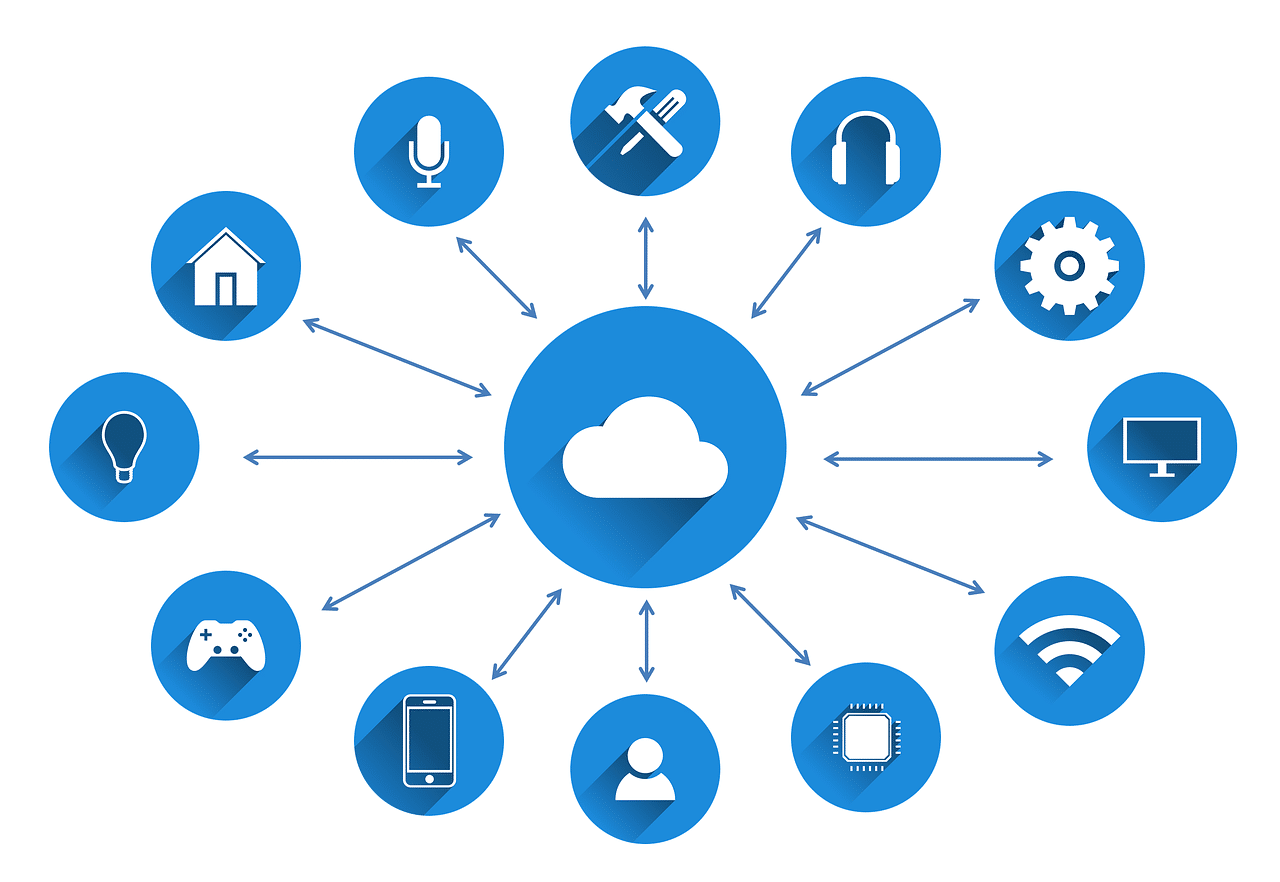





:strip_exif(true):strip_icc(true):no_upscale(true):quality(65)/cloudfront-us-east-1.images.arcpublishing.com/gmg/5EKKIPZ2KJGJPIPSRM6RMPDOSU.jpg)